



 Log in








How to use Webhooks
What Are Webhooks and How Do They Work
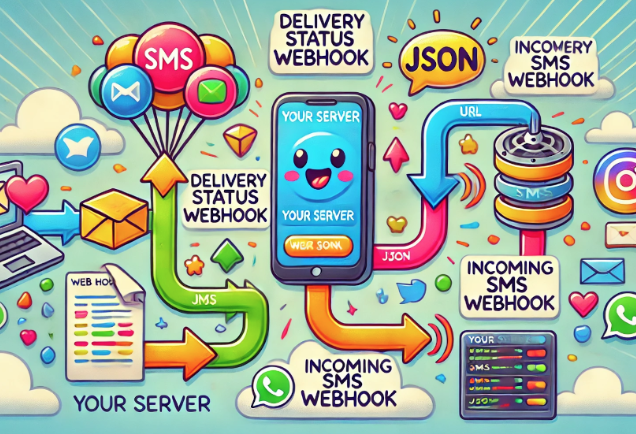
A webhook is a way for one application to automatically notify another when a specific event occurs. Instead of your server constantly polling SmsGateWay24 to check for new events (like incoming SMS or delivery status changes), SmsGateWay24 sends an HTTP POST request to a URL you specify the moment an event happens. This is faster, more efficient, and requires less server load.
Think of webhooks as a push notification for your server: instead of you asking "Did anything happen?", SmsGateWay24 tells you "Here is what just happened."
Webhook Events Supported by SmsGateWay24
SMS Delivery Status Webhook
When you send an SMS through SmsGateWay24, the message goes through several stages: queued, sent, and delivered (or failed). Every time the delivery status changes, SmsGateWay24 can notify your server via webhook. This allows you to:
- Update the message status in your database in real time
- Trigger follow-up actions (e.g., retry logic for failed messages)
- Show delivery confirmation to your users in the UI
Incoming SMS Webhook
When someone replies to an SMS sent from your device, or sends a new message to your SIM card's phone number, SmsGateWay24 detects the incoming SMS and sends a webhook to your server. The webhook payload includes the sender's phone number, the message text, the timestamp, and the device ID. This enables two-way SMS communication in your application.
How to Set Up a Webhook in SmsGateWay24
Step 1: Create a Webhook Endpoint on Your Server
You need a publicly accessible URL on your server that can receive HTTP POST requests. This endpoint should:
- Accept
Content-Type: application/json - Return HTTP 200 OK quickly (within 5 seconds) to acknowledge receipt
- Process the payload asynchronously if heavy processing is needed
Example endpoint in PHP:
Step 2: Register the Webhook URL in SmsGateWay24
- Log in to your SmsGateWay24 account.
- Go to the Webhooks section in the dashboard.
- Click Add Webhook.
- Enter your server's endpoint URL.
- Select which events should trigger the webhook (delivery status, incoming SMS, or both).
- Save the webhook configuration.
Step 3: Test the Webhook
SmsGateWay24 provides a test button to send a sample webhook payload to your URL. Use this to verify your endpoint is reachable and correctly parsing the data before going live.
Webhook Payload Structure
Delivery Status Payload
{
  "event": "delivery_status",
  "message_id": "abc123",
  "phone": "+1234567890",
  "status": "delivered",
  "timestamp": "2026-01-15T10:30:00Z",
  "device_id": "device_xyz"
}
Incoming SMS Payload
{
  "event": "incoming_sms",
  "phone": "+1234567890",
  "message": "Hello, I need help with my order",
  "timestamp": "2026-01-15T10:31:00Z",
  "device_id": "device_xyz"
}
Common Webhook Use Cases
Two-Way Customer Support SMS
Use incoming SMS webhooks to build a simple SMS-based customer support system. When a customer replies to your message, the webhook fires and your system can log the reply, notify the support agent, or trigger an automated response.
Real-Time Delivery Tracking UI
Update a delivery status indicator in your web application in real time when the delivery webhook fires. Instead of showing "Pending" indefinitely, users see "Delivered" the moment the carrier confirms it.
OTP Verification Flow
If users can reply to your OTP SMS with a specific keyword (e.g., "VERIFY"), the incoming SMS webhook allows your server to detect this reply and automatically advance the user through the verification flow.
Troubleshooting Webhook Issues
- Webhook not firing: Make sure your URL is publicly accessible and not behind a firewall or localhost. Use a service like ngrok during local development.
- Receiving duplicate events: Always respond with HTTP 200 immediately. If your server times out, SmsGateWay24 may retry the webhook delivery.
- JSON parsing errors: Verify your server reads the raw request body, not form parameters. Webhooks use
application/jsoncontent type.
Video Tutorials
View all SMS gateway tutorials