


 Log in








organize sending service messages
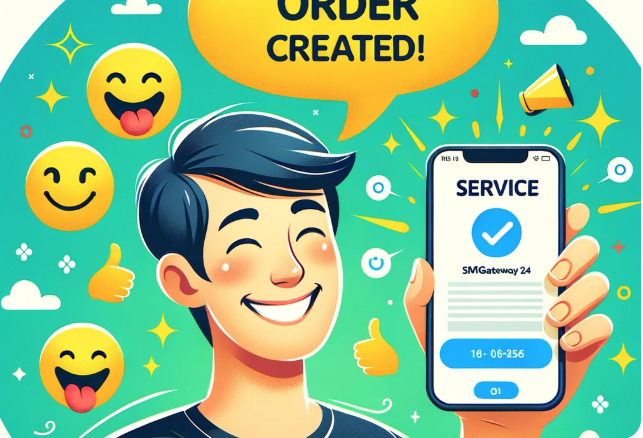
What Are Service Messages and Why They Matter
Service messages are automated SMS notifications sent to customers or users informing them about important events related to their orders, subscriptions, deliveries, or account activity. Unlike promotional messages, service messages are transactional — they are triggered by a specific event and expected by the recipient.
Examples include: order confirmation, shipping notification, delivery update, appointment reminder, payment receipt, and account security alert. With SmsGateWay24, you can automate the sending of all these messages through your own Android phone and SIM card.
Types of Service Messages You Can Send
Order and Delivery Notifications
Automatically notify customers when their order has been placed, processed, shipped, and delivered. Each status change triggers an SMS, keeping the customer informed without any manual effort on your side. This reduces support inquiries and increases customer satisfaction.
Appointment and Booking Reminders
Reduce no-shows by sending automated SMS reminders 24 hours and 1 hour before a scheduled appointment. Include the time, location, and a link to reschedule if needed.
Payment and Invoice Alerts
Notify customers when a payment is received, when an invoice is due, or when a subscription is about to renew. This improves cash flow and reduces overdue accounts.
Security and Account Notifications
Alert users about login activity from new devices, password changes, or suspicious account actions. These messages build trust and allow users to react quickly to potential threats.
How to Set Up Service Messages with SmsGateWay24
Step 1: Connect Your Android Device
Install the SmsGateWay24 app on an Android phone with an active SIM card. Register the device in your account dashboard. The device will appear online and ready to send messages.
Step 2: Configure the API Integration
Use the SmsGateWay24 REST API to send messages from your backend system. Generate an API token in the dashboard and include it in your requests. The API supports JSON payloads and responds with delivery status information.
Step 3: Set Up Webhooks for Delivery Reports
Configure a webhook URL in your SmsGateWay24 account. When a message is delivered (or fails), SmsGateWay24 will send a POST request to your server with the delivery status. This allows you to track every message and take action on failures.
Best Practices for Service Message Delivery
- Personalize messages: Include the customer's name and specific order/event details. Generic messages feel impersonal and are less effective.
- Send at appropriate times: Avoid sending messages late at night. Schedule notifications for business hours in the recipient's time zone when possible.
- Keep messages concise: SMS has a 160-character limit per segment. Get to the point quickly and include only the most important information.
- Include an opt-out option: Even for transactional messages, providing a way to stop notifications builds trust and complies with regulations in many countries.
Why Use Your Own SIM Card for Service Messages
Using a local SIM card through SmsGateWay24 provides several advantages over commercial SMS gateways: lower cost per message, better delivery rates for local numbers, no dependency on third-party providers, and full control over message content and timing.
Video Tutorials
View all SMS gateway tutorials